
AI Halloween Costume Generator: Seven Looks, Your Face
AI Halloween costume templates taken from posts people shared this month. Pick a look, add one selfie, and the hat, the makeup and the scene land on you.
AI Halloween costume looks people posted this October
These are the seven templates in the generator above. Each one started as a post on Instagram under #aihalloween or #aihalloweencostume; we picked them for one reason each, written next to the picture.
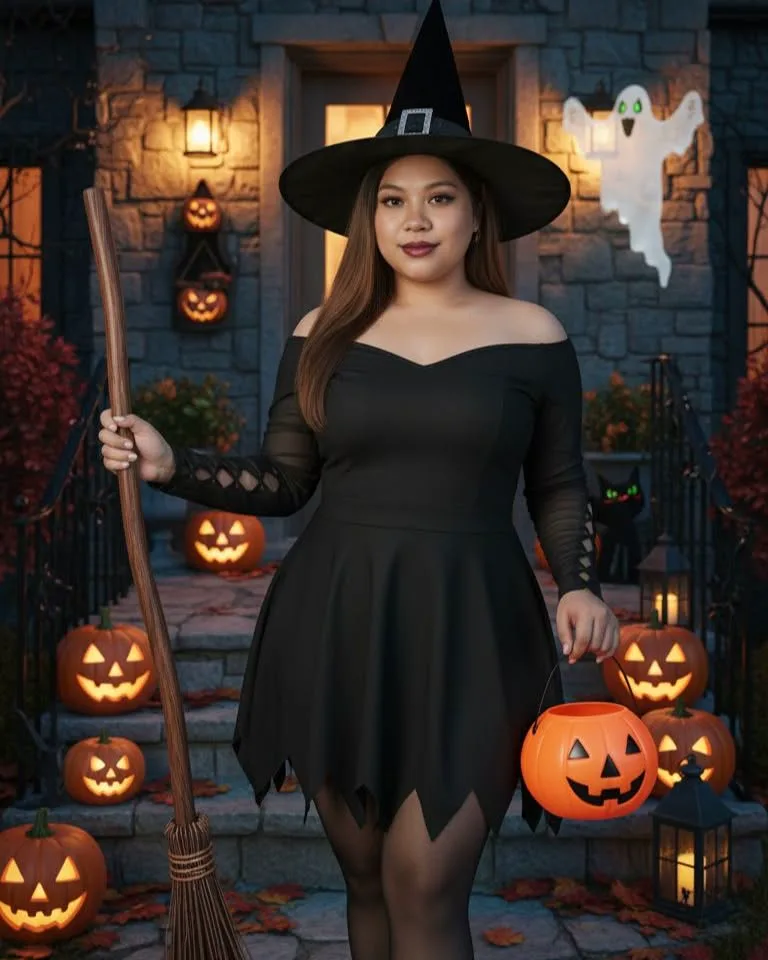
The porch witch
Pointed hat, short black dress, a broom in one hand and a pumpkin bucket in the other, on steps lined with carved jack-o'-lanterns. It is the costume most people mean when they say witch, so it is the template the page opens on.
Use the porch witch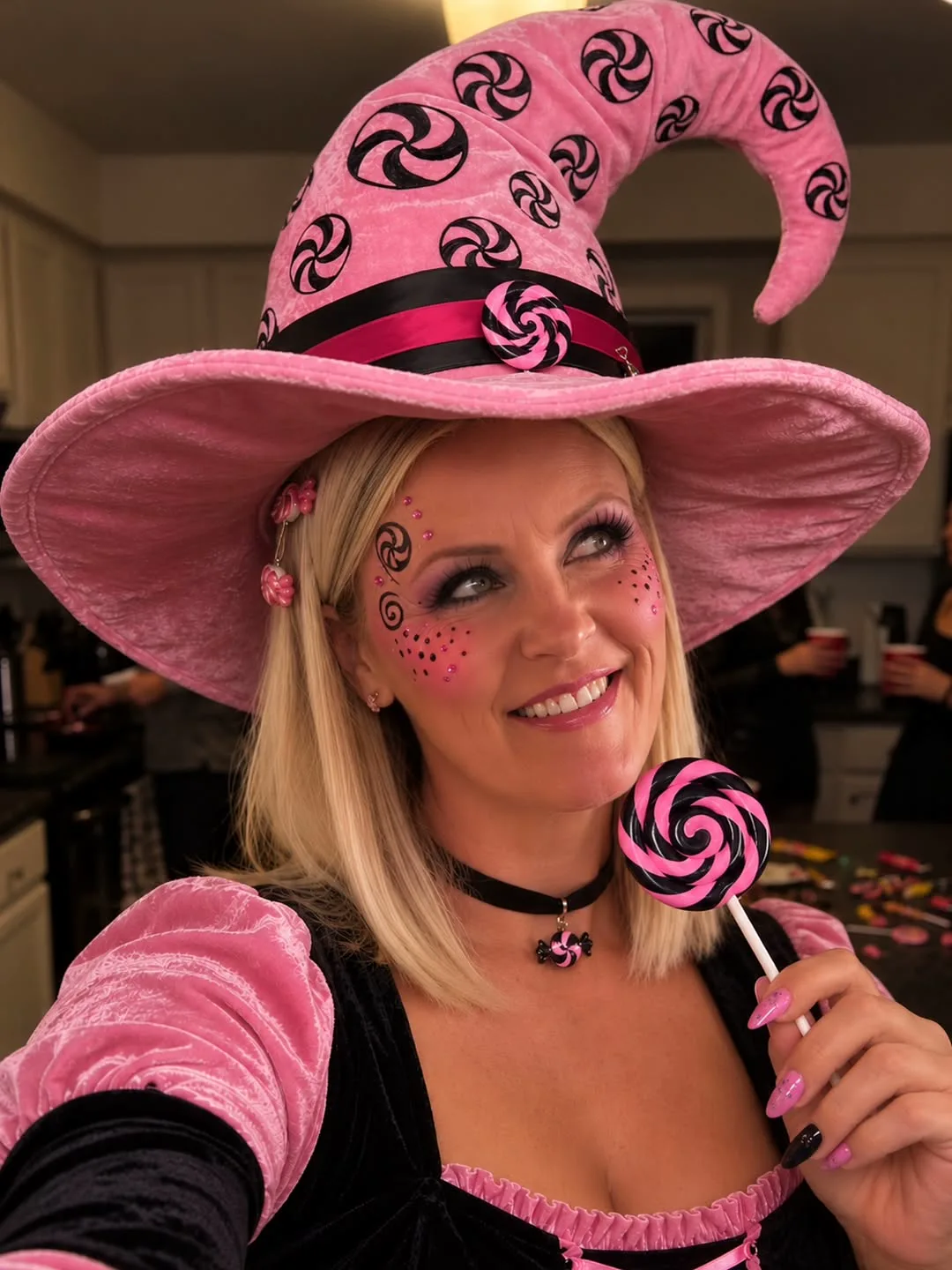
The pink candy witch
Same idea, opposite mood: an oversized pink hat with candy swirls, a lollipop and sweets stuck to the cheek. The creator shared a ChatGPT prompt for it with her followers; this template puts the same candy-pink look on your selfie.
Use the candy witch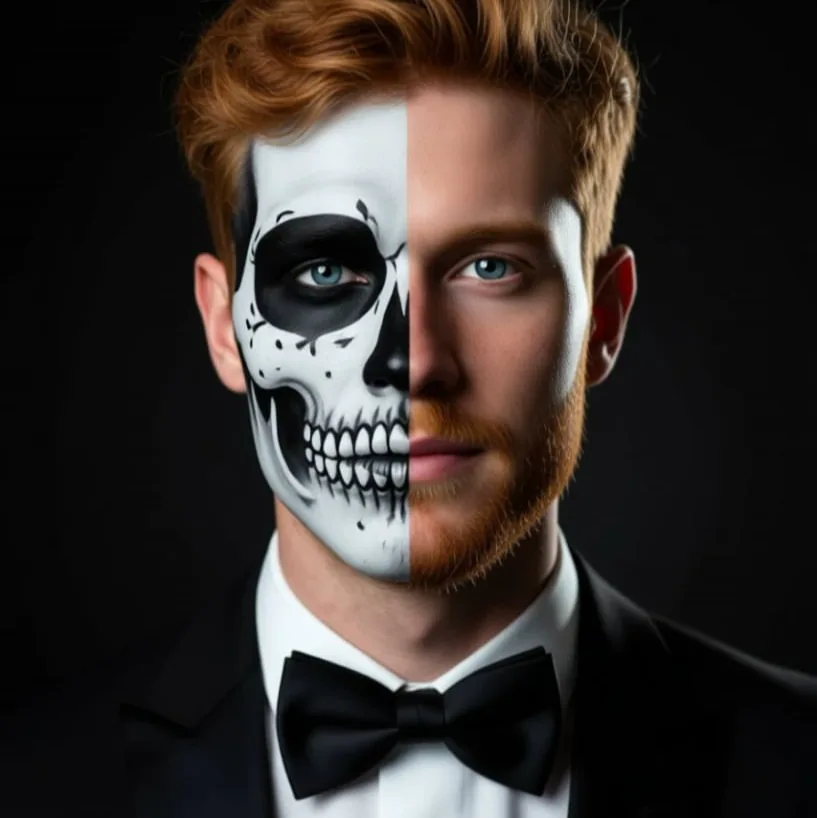
Half skull, half you
One side of the face painted as a clean white skull, the other left untouched, with a black tie for contrast. The creator's caption was simply a regular photo, then this, which is the whole job of this AI Halloween costume page in one line.
Use the half skull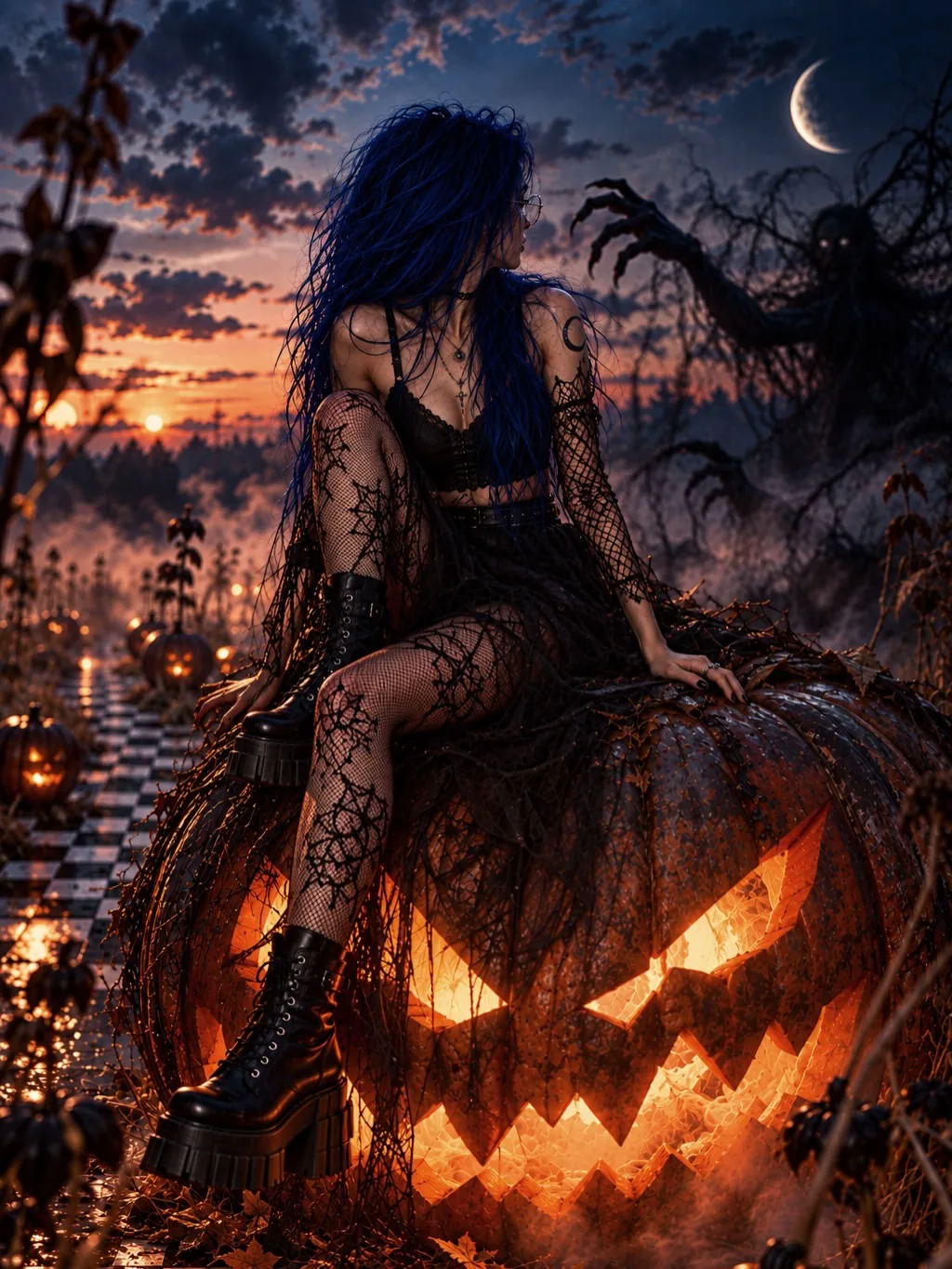
Gothic on a giant jack-o'-lantern
Black lace, platform boots, a moon, fog and a pumpkin the size of a car. This is the one for anyone who wants a scene, not only an outfit; the template builds the whole night around you.
Use the gothic sceneWhat is an AI Halloween costume generator?
An AI Halloween costume generator takes one ordinary photo of you and returns a new picture of the same person in a finished Halloween look: the outfit, the makeup and often the setting. On this page you do not write a prompt. You pick one of the seven templates, upload a selfie, and the edit runs on GPT Image 2.5, an image model that changes what you ask and keeps the face it was given.
The point is to see a costume on yourself before October 31st, not on a model in a shop listing. People on r/Halloween_Costumes spend weeks stuck between two ideas, ask how to turn one look into a couples costume, and wonder whether colored contacts or body paint will even suit them. A preview on your own face settles each of those faster than another poll in the comments, and the rest of our AI trend templates work the same way for whatever is moving after Halloween.
Creative engine
What happens when you press Generate
Your selfie and the template prompt go to GPT Image 2.5 as one image edit. The result comes back as a new image in your library, ready to download or post.
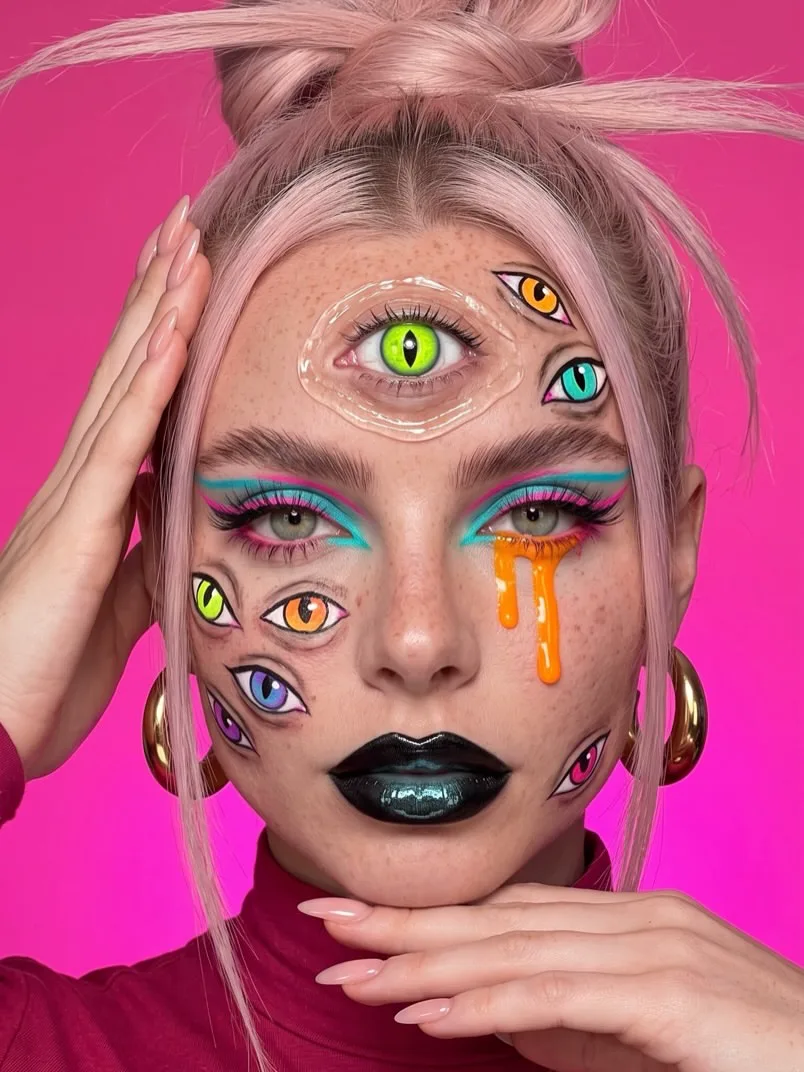
Makeup looks count too
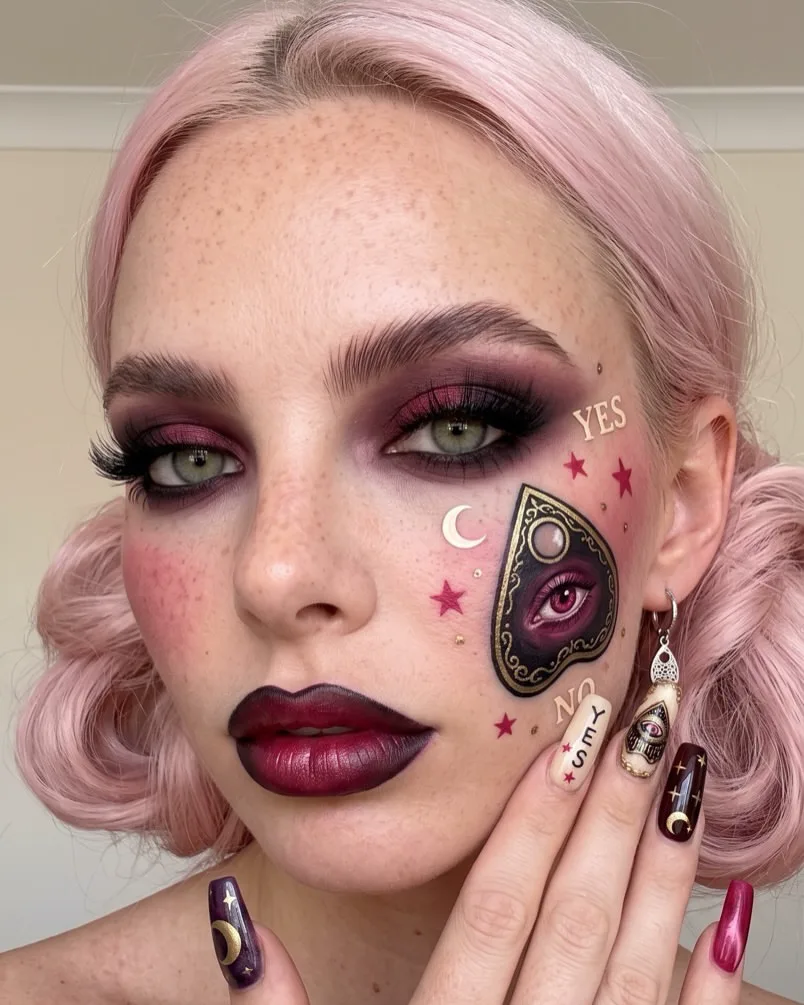
Two of the templates are makeup only: a many-eyes look on a hot pink backdrop and a plum ouija look with a planchette painted on the cheek. They show you how the paint reads on your face shape before you buy a single brush.
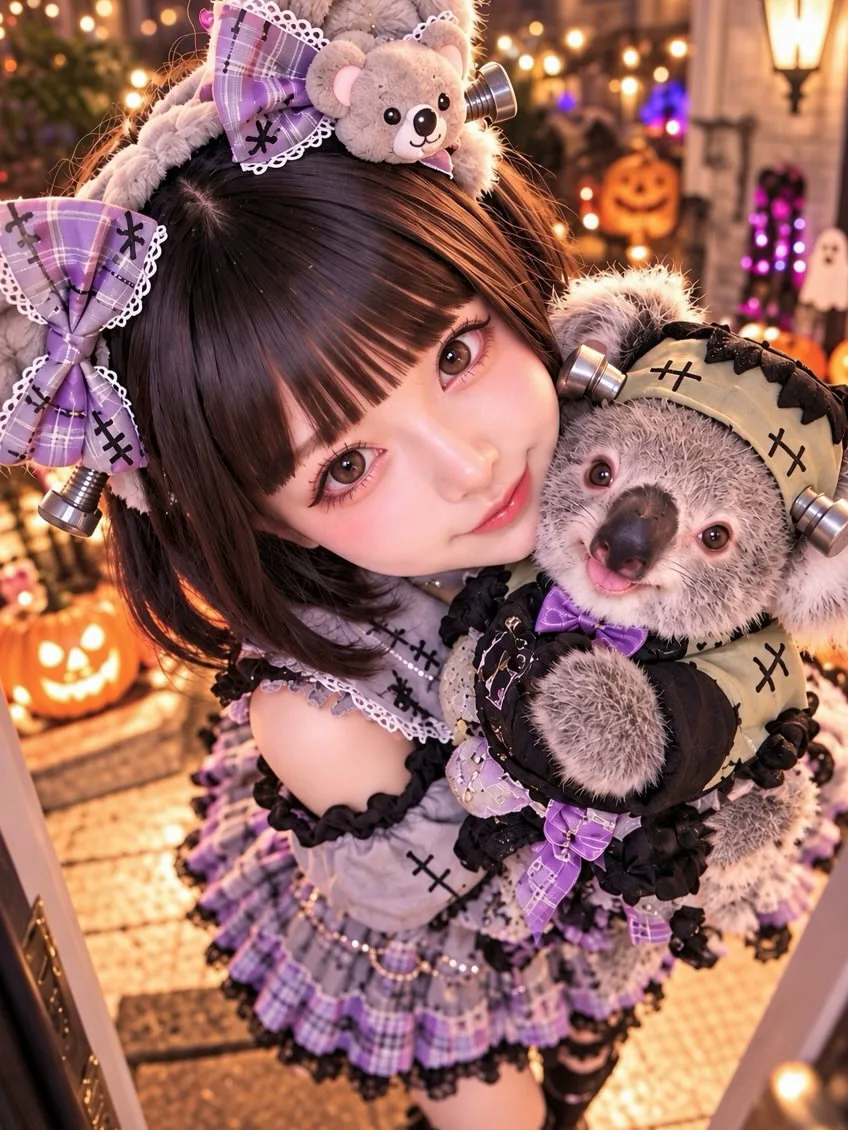
Soft and spooky in one
The doll template mixes a lavender ruffled dress, a stitched teddy bear and doll makeup, for anyone whose Halloween is more cute than scary.
Make your AI Halloween costume in three steps
From a phone selfie to a costume picture you can post or show the group chat.
- Step 01
Pick a template
Tap the AI Halloween costume you want in the generator. The prompt fills in on its own; leave it exactly as it is, or change a word to swap a color or the setting.
- Step 02
Upload one clear selfie
Face toward the camera, even light, nothing covering the eyes. For the full-body looks, a photo that shows your shoulders gives the outfit more to work with.
- Step 03
Generate, then try the next one
Your AI Halloween costume lands in about a minute. Keep the same selfie and run a second look straight after, so the two options sit side by side.
Who reaches for an AI Halloween costume preview
Anyone with a party on the calendar and more ideas than nights to wear them.
Two ideas, one night
Cute or scary, store-bought or homemade. Run both as an AI Halloween costume from one selfie and the picture you keep coming back to is the answer.
Planning a makeup look
Skull paint, extra eyes, a painted planchette: see how the design sits on your own features before you practise it in the mirror.
Posting for spooky season
A run of daily Halloween looks is one of the posts going around this October. Seven templates is a week of them from one photo.
Showing the group what you mean
Describing a costume idea in the chat rarely lands. An AI Halloween costume picture of you already wearing it does.
AI Halloween costume questions, answered
What people ask before they commit to a costume.
Put both on your own photo. Run one AI Halloween costume template, then the second from the same selfie, and look at them together. Seeing both options on your face instead of on two strangers makes the choice a lot easier.
Yes. The half skull, many-eyes and ouija templates are makeup looks: they repaint your face and leave your features and hair in place, so you can judge the design before you buy the paint or try it in the mirror.
Run each person's selfie through the template you are considering and compare the two pictures. Every template here takes one photo, so a pair is two runs, which also lets each of you try a different half of the idea.
One look at the standard 1K size is 25 credits; 2K is 40 and 4K is 60. Credits come with a plan or a one-time pack on the pricing page, and every image runs on GPT Image 2.5.
A clear selfie with your face toward the camera, even light and nothing over your eyes. For the porch witch and the gothic scene, a photo that shows your shoulders gives the outfit more to build on.
Every template already is one. Pick a look and its full prompt drops into the box, written to keep your face and change the costume, makeup and scene. Edit a word or two for a different color or setting, then generate.
YouInTheClip pricing — you pay per result, never per seat
Credits are shared across every template. You see the cost before each run, and a failed job is never charged.
- 14,400 Credits Per Year
- Up to 99 videos
- Up to 2,880 images
- No Queue, Instant Start
- HD, Watermark-Free Downloads
- Commercial Use License
- 54,000 Credits Per Year
- Up to 372 videos
- Up to 10,800 images
- No Queue, Instant Start
- HD, Watermark-Free Downloads
- Commercial Use License
- 102,000 Credits Per Year
- Up to 703 videos
- Up to 20,400 images
- No Queue, Instant Start
- HD, Watermark-Free Downloads
- Commercial Use License
Free plan
- Get 100 credits a week with check-ins
- 20 Free Credits with login
- Up to 4 images
- Browse Every Template And Its Original Post
- Save Results To Your Library
- Failed Runs Refunded Automatically
Pay safely and securely with


Payments are processed by Stripe over an encrypted checkout. Your card details are handled by Stripe and are never stored by YouInTheClip.
After your AI Halloween costume
The next trend and what each look costs.
See the costume on you before October 31st
Seven AI Halloween costume looks, one selfie, a result in about a minute. Pick the one you would actually wear.